There are a range of self-paced Workday training courses available on a variety of topics, and for different groups at UBC. These online courses can be completed at your own pace and at any time.
Where to Start
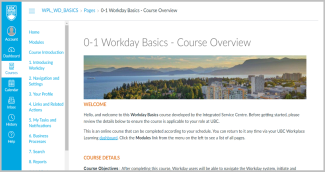
All faculty, staff, and student employees who are new to Workday or to UBC are encouraged to take the Workday Basics training course, which covers how to use and navigate Workday as an employee. To view a list of all Workday training courses available to you, run the My UBC Workday Training report. This report shows you relevant courses based on your employee group and security roles in Workday. Note: This report does not include Workday Student training currently.
Note: You may not need to take all the courses available to you. For example, you may have access to the Workday Expenses training course but you may not need to submit expenses as part of your job.
Training for Workday Student
To access Workday Student training courses, visit the Training Hub on Confluence (CWL required).
What Workday Training Includes
Workday training courses focus on how to complete tasks and processes in Workday, and the foundations of how Workday functions as a system. Courses may include video tutorials, visuals of Workday steps, quizzes to test your understanding, and surveys to gather helpful feedback on courses. Most courses also include links to recommended resources in the Workday Knowledge Base.
For guidance on UBC policy and practices, or procedures specific to your faculty or unit, contact the relevant department (e.g. HR) or your departmental administrator. For example, a Workday training course may cover how to hire a new employee, but not how to select a final candidate or determine salary.
Note: Workday training courses that are open to all employees can also be found on Workplace Learning (WPL).
Training Feedback and Access Requests
To give feedback on training courses, to request access to a course, or make a general suggestion for Workday training or knowledge, please submit a Workday support request through the appropriate support form (by area).
Workday Knowledge Base
Looking for quick help with a specific Workday task or process? Visit the Workday Knowledge Base for a range of resources.