The Workday release on Saturday, September 9 was successfully completed. This release included an updated Workday Inbox, with new search functionality and other improvements, as well as minor changes to recruitment and purchasing processes. See a summary of changes below, or learn more about Workday releases.
Workday 2023 Release 2 (September 9, 2023)
Note: Details are subject to change. Visit the Workday Knowledge Base for the latest information.
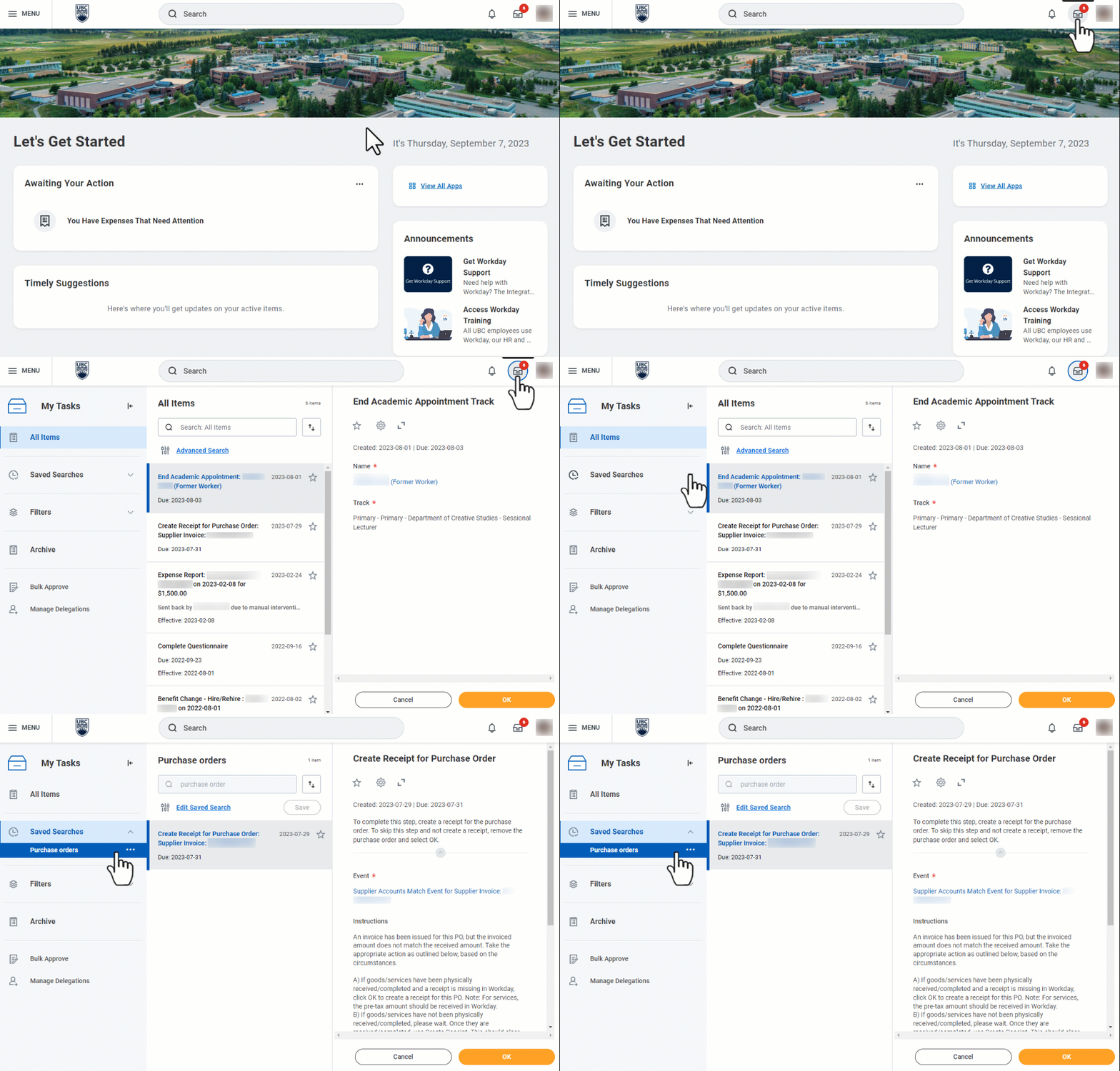
Workday Inbox is Now ‘My Tasks’
The Workday Inbox, where faculty and staff find items awaiting their action, has now been renamed My Tasks. My Tasks offers many new and improved features to help you manage your tasks, including:
- Ability to search inbox as well as use advanced search and save searches for future use.
- More visibility on filters, making it easier to find and apply standard and custom filters.
- A collapsible side menu with quick access to manage delegations and bulk approval.
- New options for how to display tasks and view dates.
Any custom filters you previously created will still be available, and will appear in the side menu.
My Tasks will be especially useful for faculty and staff who have high volumes of tasks in Workday.
Note: This update only affects the Workday Inbox. There will be no changes to notifications in Workday.
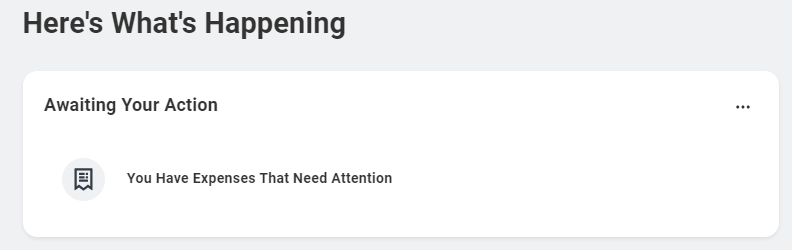
New Homepage Card: You Have Expenses That Need Attention
A new card will now appear on your Workday homepage under Awaiting Your Action. The 'You Have Expenses That Need Attention' card will display when you have expenses-related items to complete in the Expenses Hub. For example, you will see this card if you have a draft expense report that needs to be submitted or cancelled.
Additional items may be added to the Awaiting Your Action section in future.
More Filtering and Sorting Options When Editing in Purchasing Processes
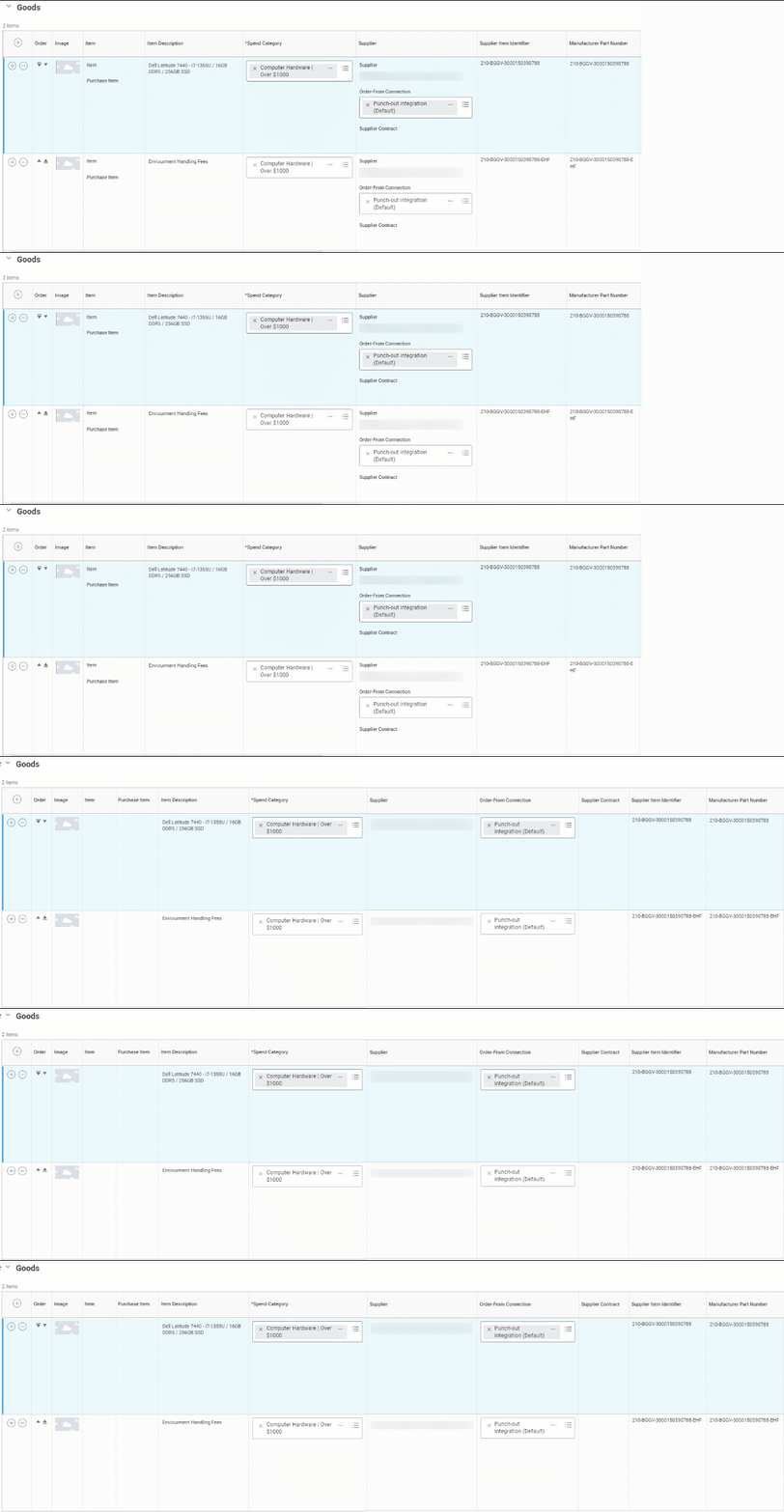
When editing Purchase Requisitions, Purchase Orders and Change Orders, it is now easier to find, filter or sort certain line items. Information previously grouped together such as Item, Purchase Item, Supplier, Order-From Connection, etc., now appears in separate columns.
Additionally, the Item Description and Spend Category fields now have sorting and filtering capabilities when in editing mode.
Updates to the Requisitions Application
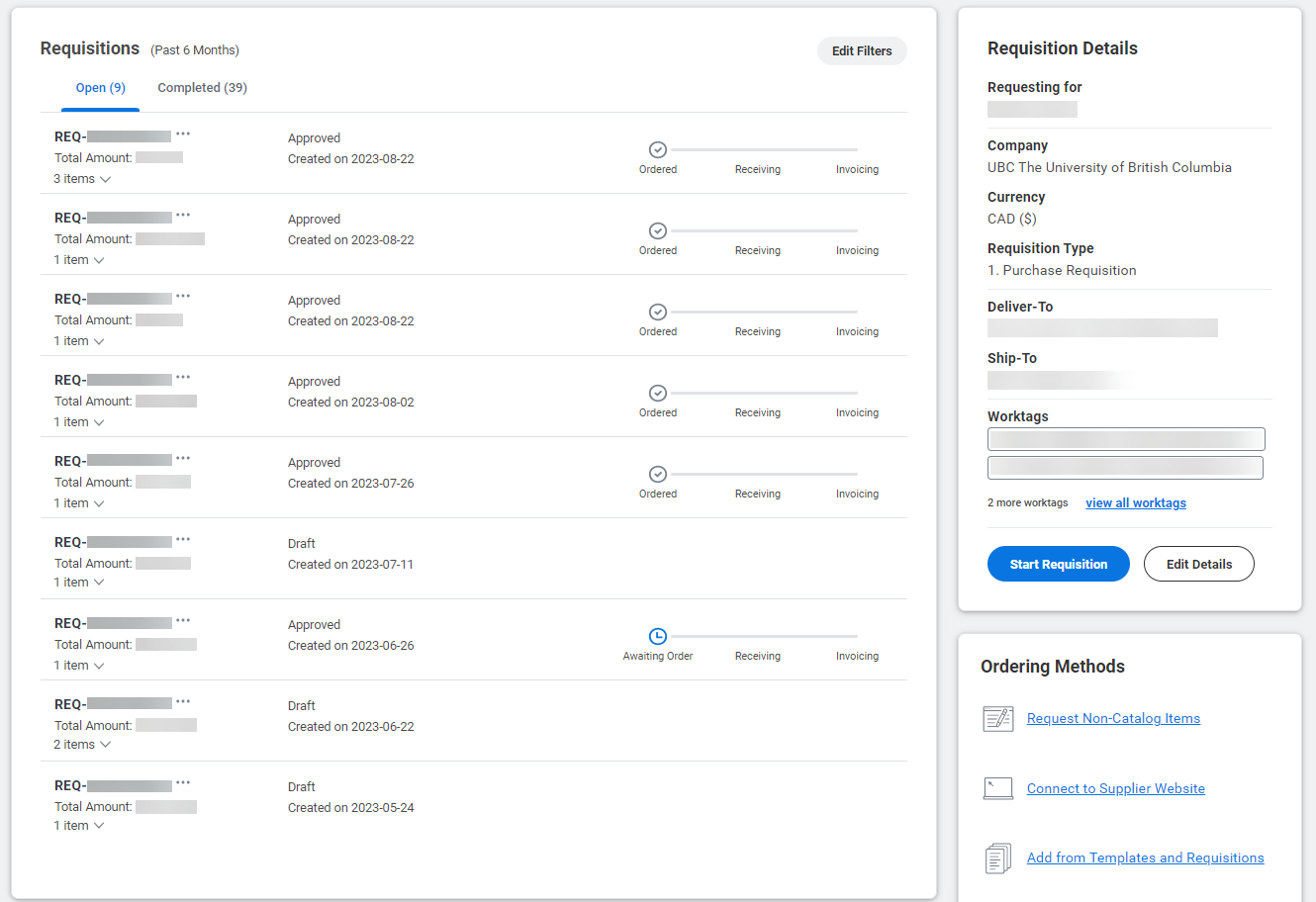
Those who use the Requisitions Application to manage a high volume of purchase requisitions, will see some changes to support efficiency and visibility.
When creating a new requisition, information from your last submitted or saved requisition (within the past three months), such as Deliver-To, Ship-To, Requisition Type, etc., will now automatically appear in those fields to reduce the need for manual entry. If the new requisition requires different values in these fields, click ‘Reset to Default’ and update as required.
Also, when filtering, the From date will now have a default value of six months ago. When using Advanced Checkout, requisitions can now be filtered by line item attributes (for goods only), and there is a new grid view that makes it easier to find information when there are many lines.
Note: The Requisitions App is recommended for faculty and staff who regularly create and manage a high volume of purchase requisitions.