The Workday release on Saturday, March 9 was successfully completed. This release included an updated Workday Inbox, with new search functionality and other improvements, as well as minor changes to recruitment and purchasing processes. See a summary of changes below, or learn more about Workday releases.
Workday 2024 Release 1 (March 2024)
Note: Details are subject to change. Visit the Workday Knowledge Base for the latest information.
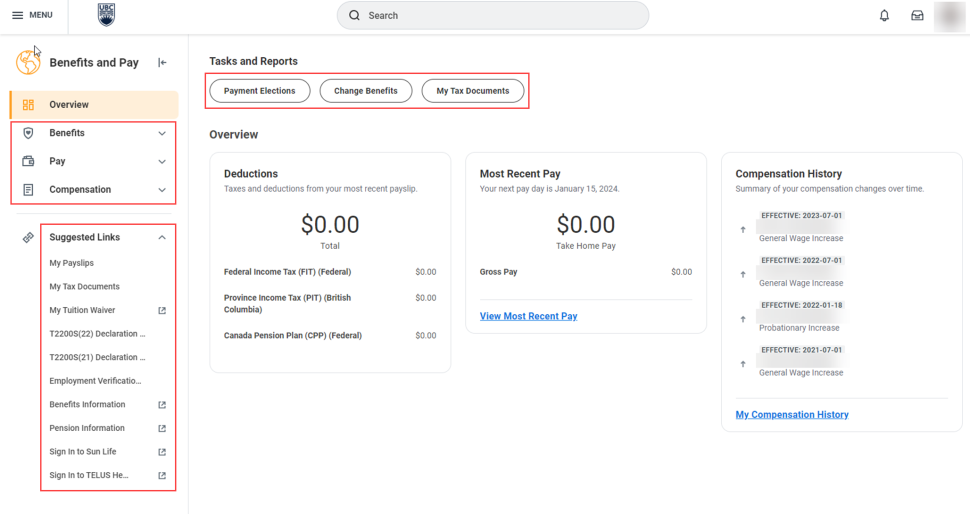
New Benefits and Pay Hub
The new Benefits and Pay hub replaces the Benefits application (app) and provides a central location where employees can see their benefits, pay and compensation information. The new hub provides quick access to the same useful resources the previous Benefits app had, including links to tuition waivers, pension information and benefit providers as well as options to update benefits, dependents and beneficiaries. The hub also gives access to find important pay information, including payslips, tax documents and employment verification letters.
The Benefits and Pay hub will be automatically added to your Apps list in the Global Navigation Menu, but can be sorted to appear where you prefer in your saved order of Apps.
Note: The Pay app will be retired within the year, so you are encouraged to start using the Benefits and Pay hub to find pay-related information.
Changes to Buttons in Workday
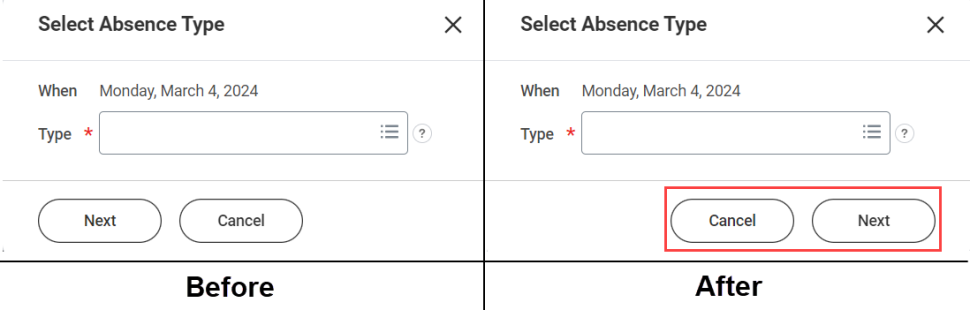
To bring consistency to the mobile and desktop experiences in Workday, buttons in some processes may have a new alignment, order and colour on Workday desktop. Faculty and staff should be mindful of these changes when clicking buttons to complete tasks. For example, when selecting an Absence Type for an absence request, you will now see buttons are right-aligned and appear in a different order (’Cancel’ now appears to the left of ‘Next’).
Updates to Announcements on the Workday Homepage
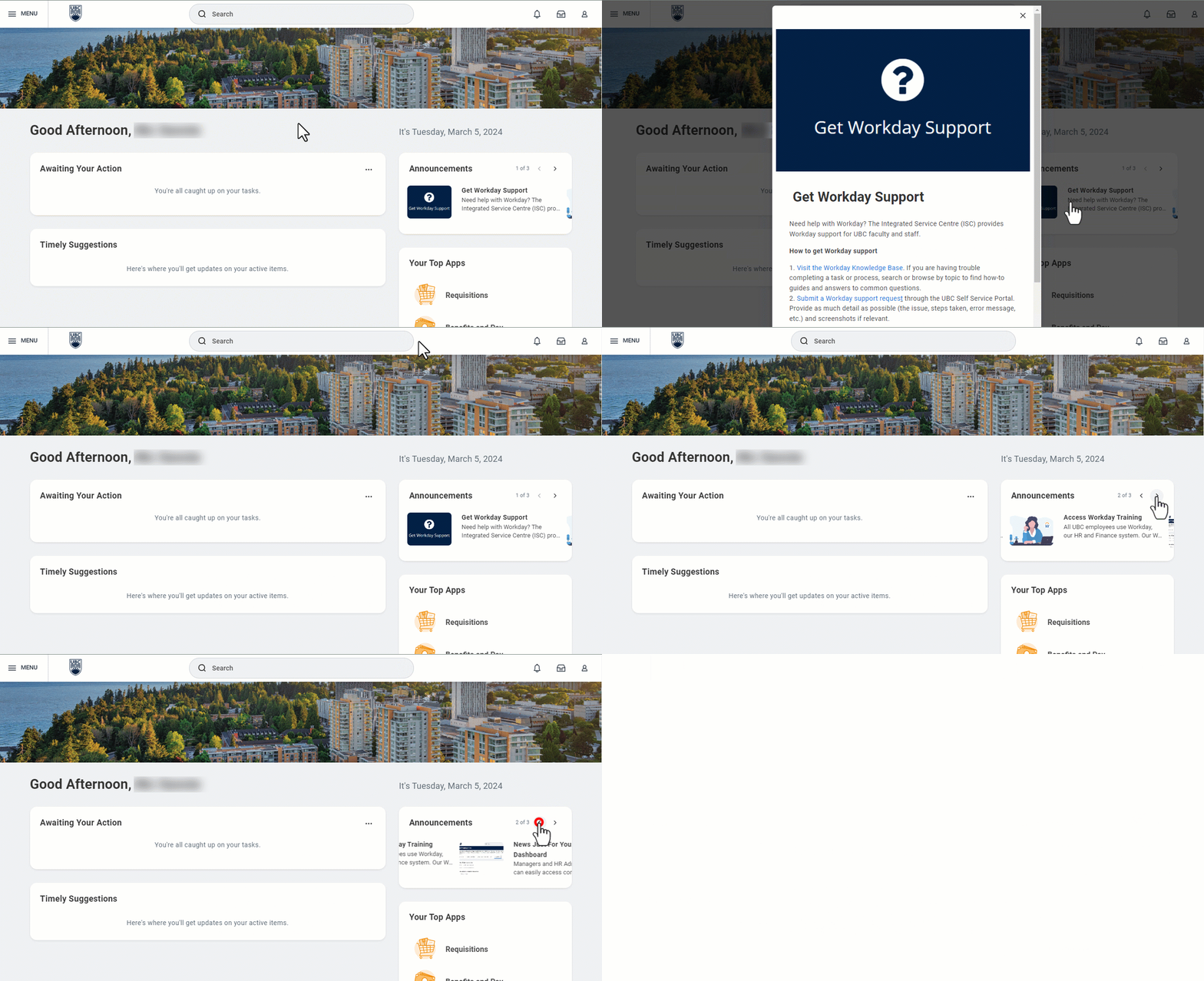
Announcements are now located above Your Top Apps on the Workday homepage, and show the number of announcements available as well as allow you to quickly scroll through all items.
The new placement, size, and features of Announcements will help UBC faculty, staff and students continue to be informed and reminded of important information and resources related to Workday.
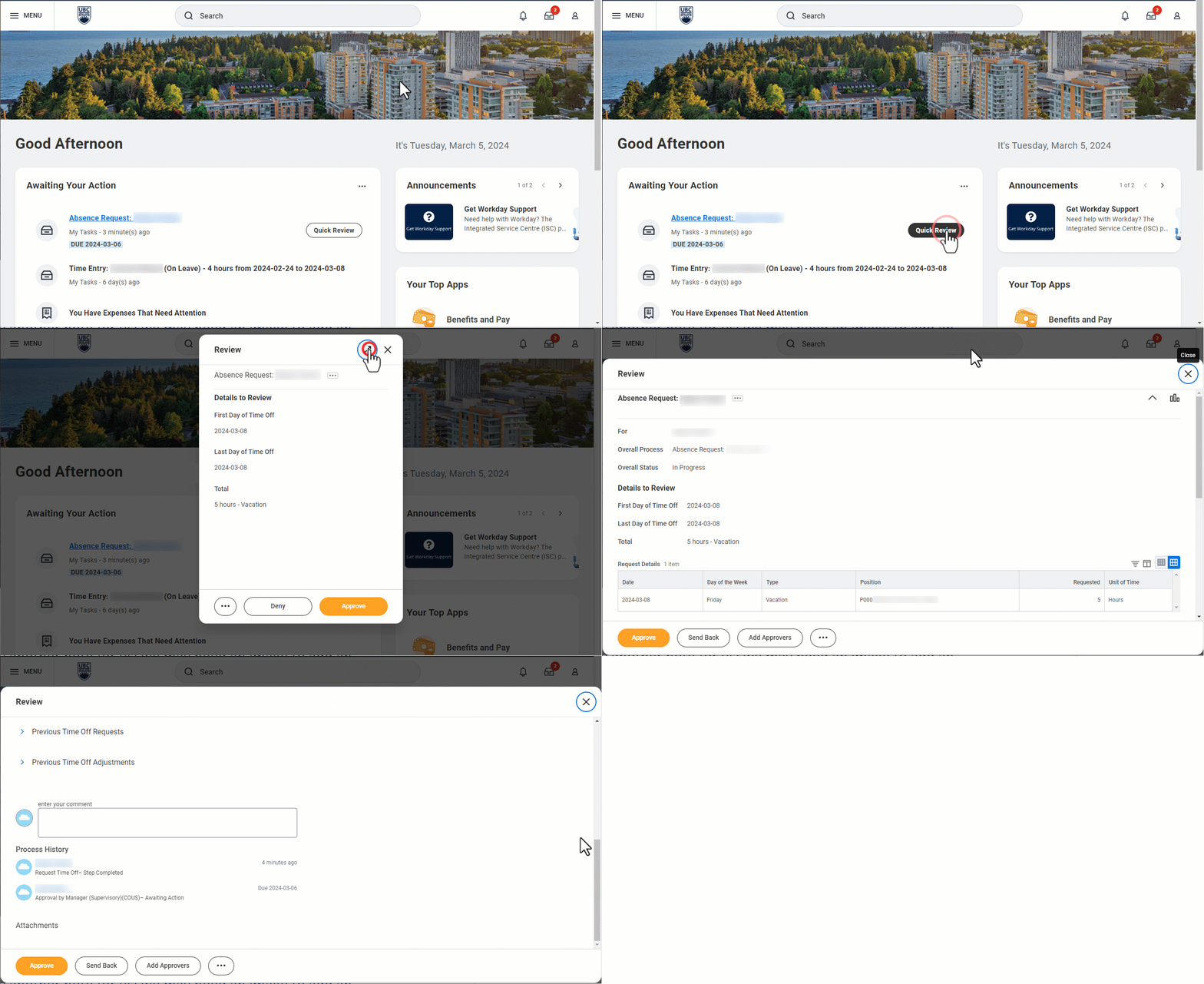
Access to All Task Details from Quick Review Option
When a manager clicks the ‘Quick Review’ button for an absence task awaiting their action on the Workday Homepage, the resulting pop-up window now includes an option to ‘Expand All Details’. When selected, this option provides quick access to more details of the absence task to review, including attached documents, comments and process history.
This will better equip managers to make informed decisions on how to proceed with next steps of a task ( Approve, Deny, Send Back, etc.).
Note: The order and alignment of the buttons to action the task may change between the initial pop-up window and the expanded view.
Procurement Documents Now Include Canadian Dollar Amounts
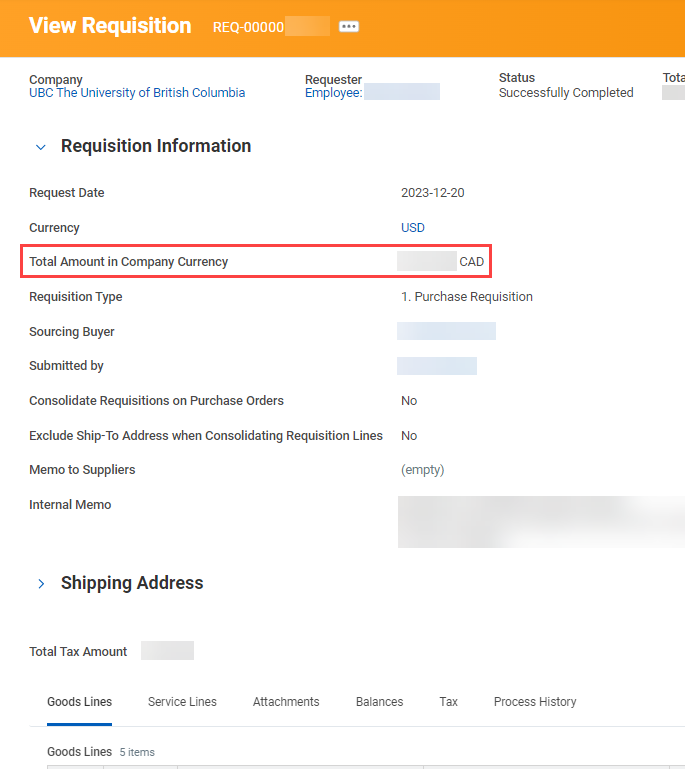
When a non-Canadian currency is used for purchasing, purchase requisitions will now include the total amount in Canadian dollars (including tax). This can be seen in the new ‘Total Amount in Company Currency’ line when viewing a requisition.
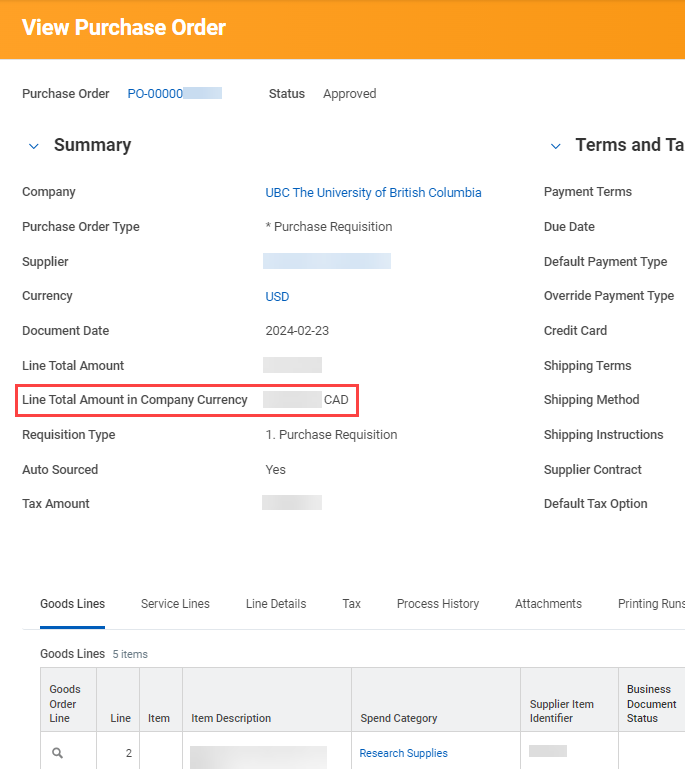
Purchase orders (POs) and change orders for non-Canadian suppliers will also display the Canadian dollar amount (before tax) in the new ‘Line Total Amount in Company Currency’ or ‘Change Order Total in Company Currency’ fields respectively.
The addition of this information will bring more transparency to the actual cost of purchasing from non-Canadian suppliers and reduce the need to make manual calculations of currency exchange.
Note: The final Canadian dollar amount, reflective of any rate change, will only be available once the PO is approved.
Requisitions Application Tour Now Available
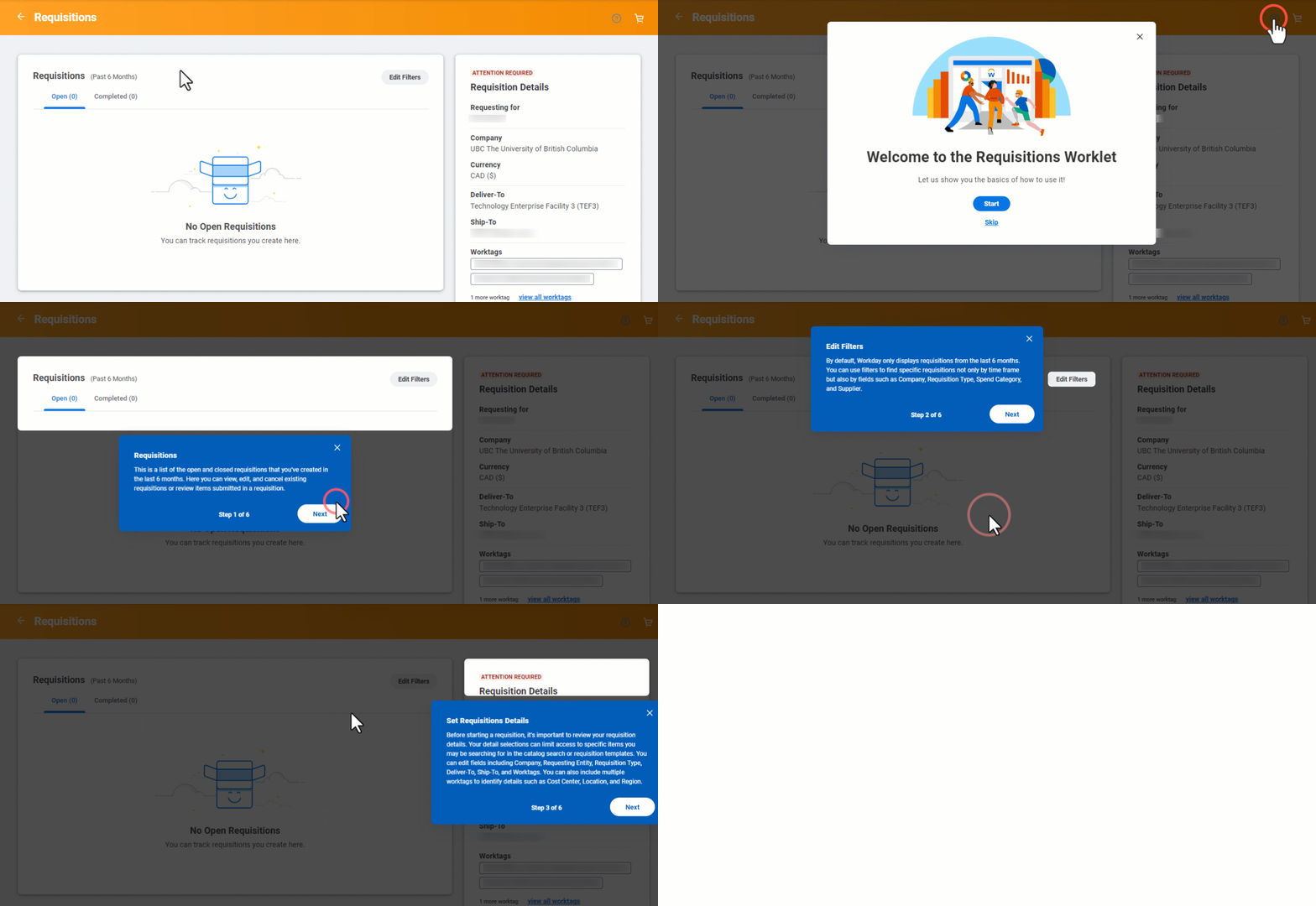
The Requisitions application (app), where you can view, create and manage purchase requisitions, now includes an optional Workday-generated “pop-up tour” of the app. This tour is tailored for new users of the app who have never created a purchase requisition, and includes tips on how to find, complete and edit requisitions, as well as navigate ordering methods (e.g. catalogue vs. non-catalogue suppliers etc.).
The tour can be accessed through the small question mark icon in the top right of the app.